

Supabase Integration
Supabase + Webtwizz
Paste a Supabase access token, pick a project. Your URL, anon key, and service-role key are written to your project's env vars, and you can edit tables and rows directly inside Webtwizz.
01 / The integration
What the Supabase integration does.
The Supabase integration is a manual access-token connect (not OAuth). You paste a personal access token from supabase.com, Webtwizz pulls the list of projects you have access to, and once you pick one it writes four environment variables to your project. Webtwizz also includes a built-in table editor that talks to your Supabase project's Management API, so you can create columns, edit rows, and view auth users without leaving the builder.
02 / What you can build
The patterns this unlocks.
The flows Webtwizz scaffolds correctly the first time, so you don't spend three days reading Supabase docs.
01
Auth-backed apps
Once the env vars are set, ask the AI for sign-up, sign-in, or session-aware pages. It uses Supabase's auth client with the keys already in place.
02
Postgres-backed CRUD
Tables you create inside Webtwizz (or directly in Supabase) become the data layer. The AI can scaffold queries against them on prompt.
03
RLS-aware code
RLS policies aren't auto-generated by connecting; you write them in the Supabase dashboard. The AI will respect them when you ask for user-scoped queries.
04
Storage uploads
Supabase Storage works through the same anon and service-role keys. Ask the AI for an upload form and it can wire it up.
03 / Built-in CMS
Edit your Supabase tables without leaving the builder.
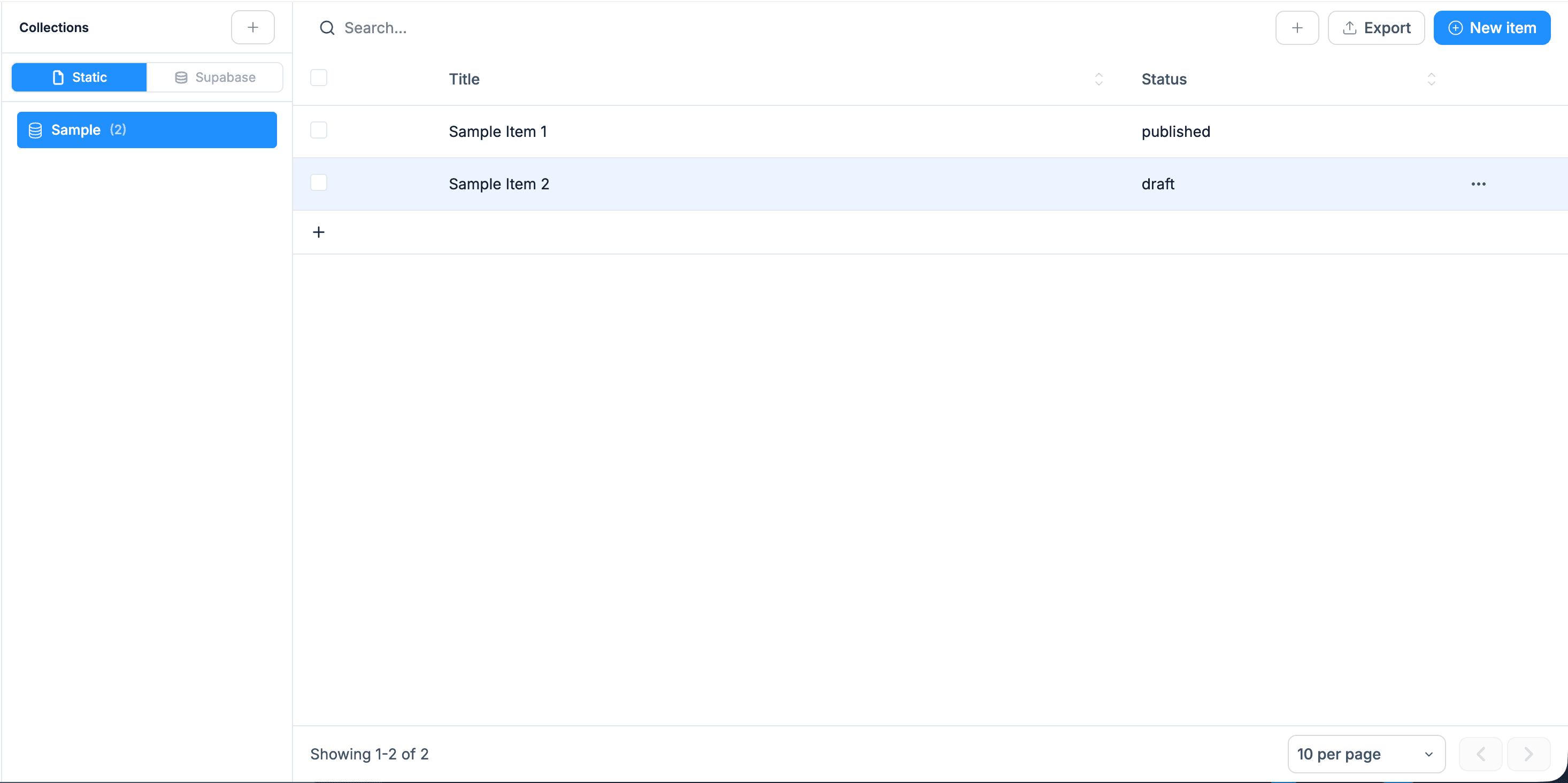
Once Supabase is connected, the Collections panel inside Webtwizz turns into a real table editor for your project. Switch between static collections and Supabase-backed ones, browse rows, search, and add or edit data in place.
- Toggle between Static and Supabase data sources from the same panel
- Browse and search rows with title and status columns
- Create, edit, and delete rows without writing SQL
- Export collections, paginate at 10/25/50 per page
04 / Setup
Connect Supabase.
4 ordered steps. Open Integrations, click Connect, paste the key. The plumbing scaffolds itself.
STEP 01
Open Integrations and click Supabase
Inside any Webtwizz project, open the Integrations panel and click Connect on the Supabase card.
STEP 02
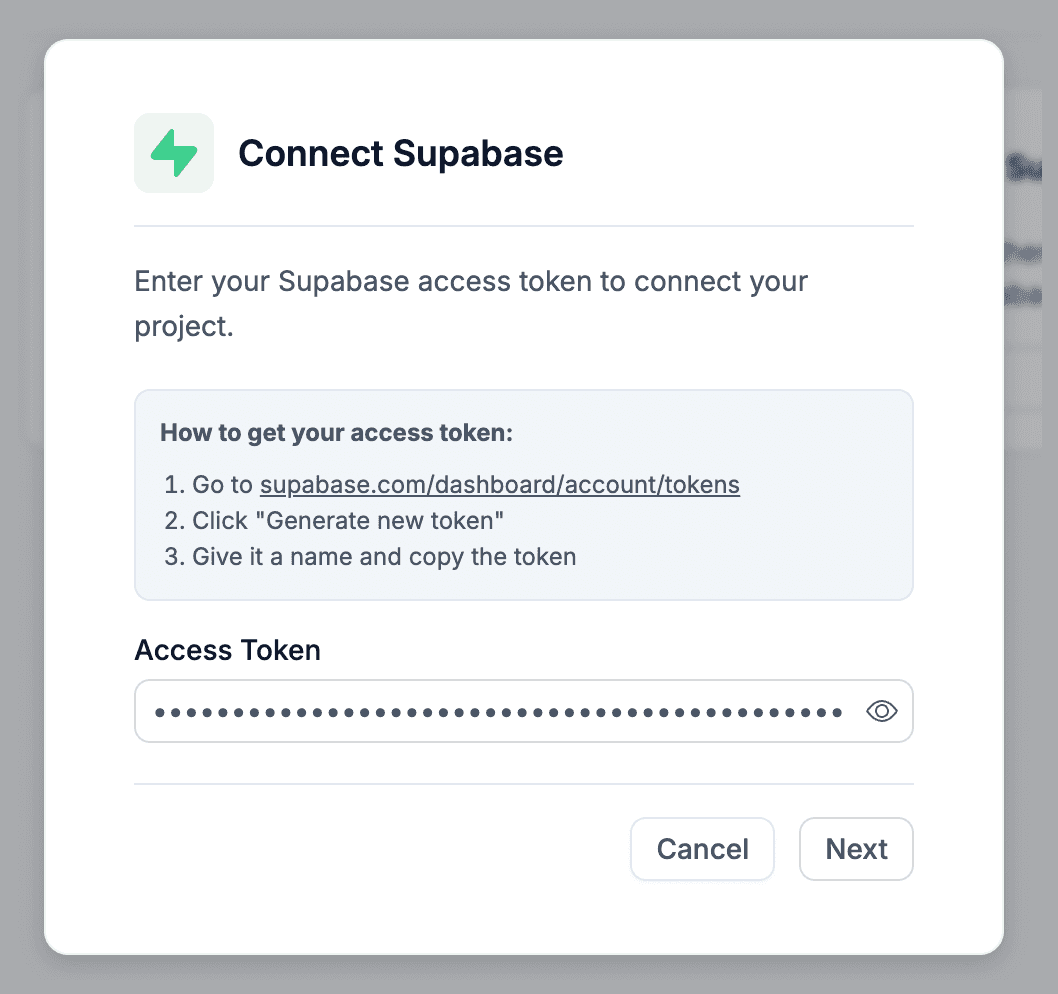
Paste a Supabase access token
Generate a personal access token at supabase.com/dashboard/account/tokens and paste it into the modal. Webtwizz uses it to call the Supabase Management API.
STEP 03
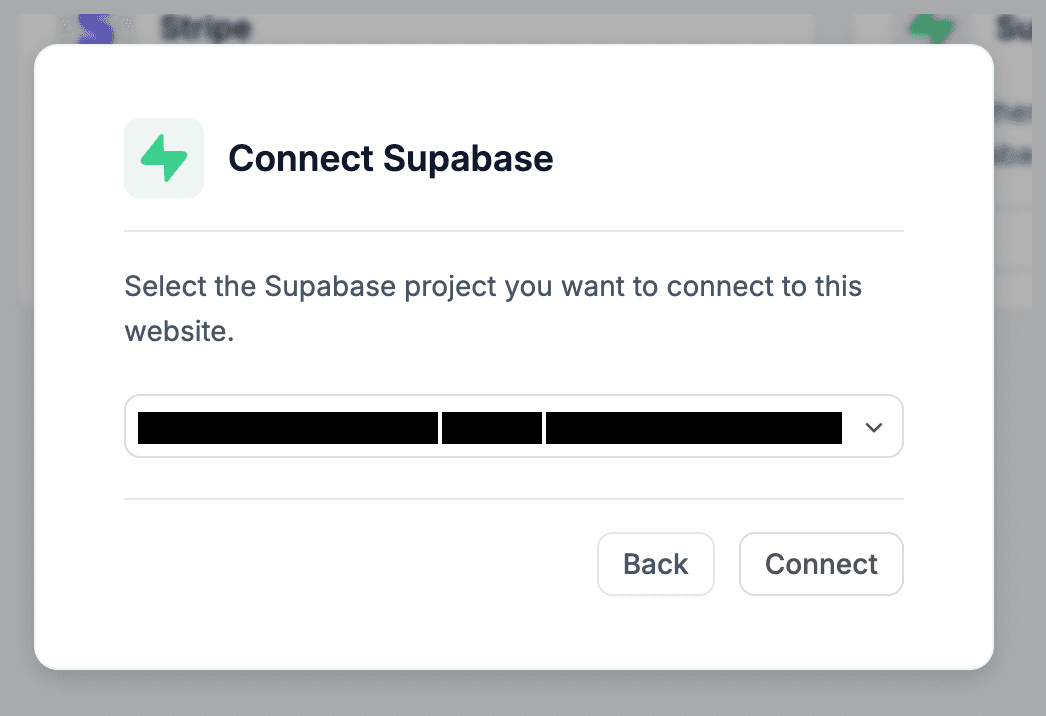
Pick a project
Webtwizz lists every project on accounts your token can reach. Pick one, and Webtwizz fetches the project URL plus the anon and service-role keys.
STEP 04
Env vars are written to your project
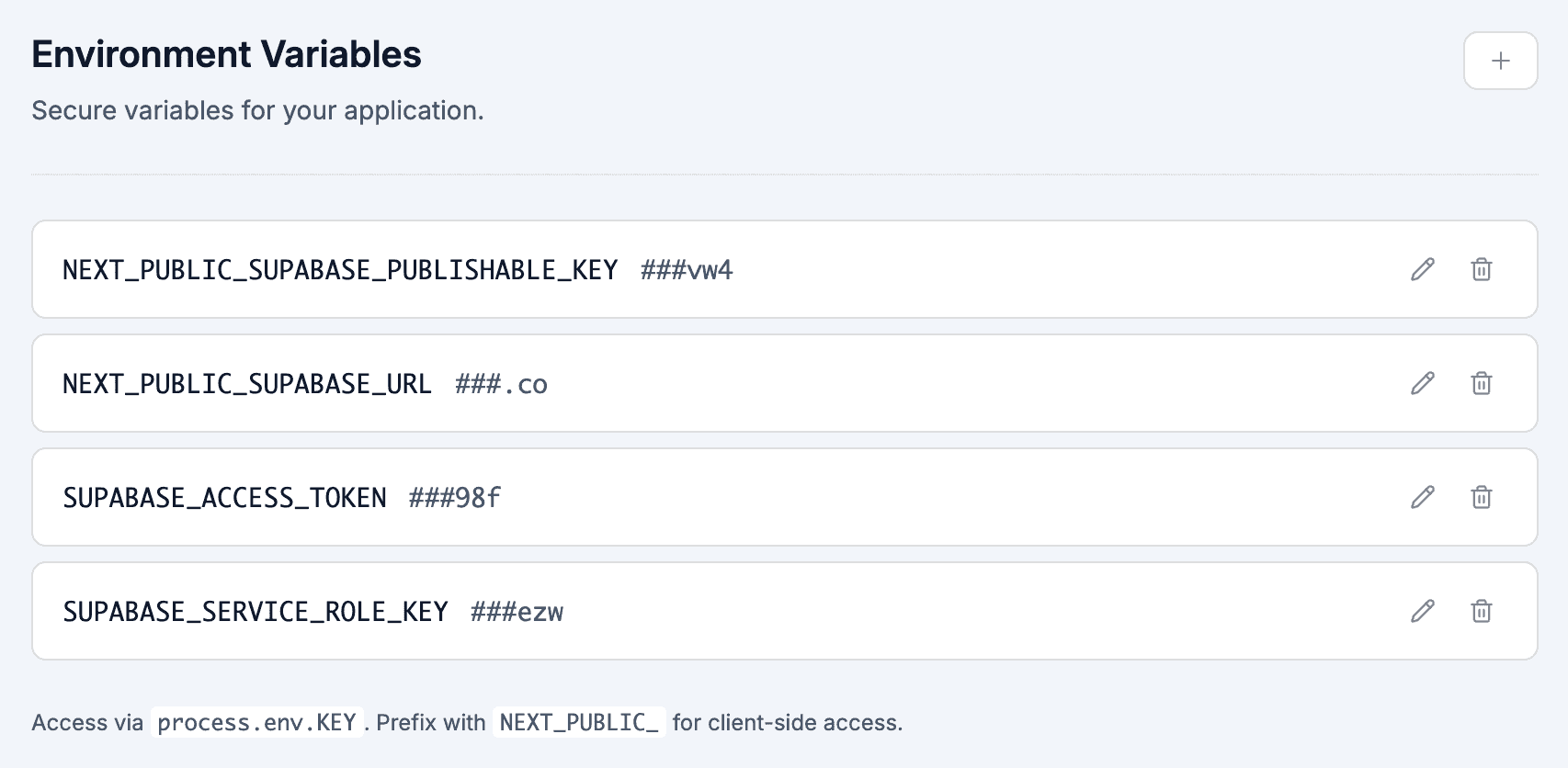
Four variables land in your environment panel: NEXT_PUBLIC_SUPABASE_URL, NEXT_PUBLIC_SUPABASE_PUBLISHABLE_KEY (the anon key), SUPABASE_SERVICE_ROLE_KEY, and SUPABASE_ACCESS_TOKEN. From here you can edit tables in the builder or ask the AI to query them.
05 / Environment
Set automatically.
These show up in your project's environment variables panel the moment you connect Supabase. No copy-paste, no .env files.
NEXT_PUBLIC_SUPABASE_URL
Project URL like https://yourref.supabase.co. Exposed to the client.
NEXT_PUBLIC_SUPABASE_PUBLISHABLE_KEY
Anon (publishable) key, used for client-side queries. Subject to RLS.
SUPABASE_SERVICE_ROLE_KEY
Service-role key, server-only. Bypasses RLS, so guard it carefully in route handlers and server actions.
SUPABASE_ACCESS_TOKEN
Your personal access token, kept so Webtwizz's table editor can call the Supabase Management API on your behalf.
FAQ
Supabase, answered.
What founders actually ask before they wire up Supabase. Anything else, our team is one email away.
No. Supabase uses a manual access-token entry. You generate a token at supabase.com/dashboard/account/tokens and paste it. Webtwizz then lists the projects that token has access to.
No. RLS policies live in Supabase, and you write them in the Supabase dashboard. The AI will write RLS-aware queries when you describe a multi-user feature, but the integration itself does not create policies for you.
Yes. Once the integration is connected, the builder includes a table editor that creates and edits tables, columns, and rows on your Supabase project through the Management API.
No. The Supabase free tier (500MB DB, 50k MAUs, 1GB storage) is enough for prototypes and many indie products.
Webtwizz removes the four Supabase env vars from your project and forgets the access token. Your Supabase project is untouched. Code in your Webtwizz project that uses the env vars will stop working until you reconnect.
Keep reading
More integrations.
Start building
Your idea, live in minutes.
Describe what you want. WebTwizz builds the real thing, then you click to change anything. No code needed.
Get started for free, no credit card needed.