CRM guide
Build a CRM with AI
Contacts, deals, pipeline stages, activity timeline, notes (the parts every CRM has), generated and wired up. Add the parts that make YOUR CRM specific without paying $50/seat for HubSpot.
01 / What you can build
Real projects, not toy examples.
People are shipping these crms on Webtwizz this quarter. Each one is a complete app: real auth, real data, real money flowing through Stripe.
Sales CRM
Contacts, accounts, deals, pipeline stages, weighted forecast. The classic shape.
Recruiting CRM
Candidates, jobs, interview pipeline, scorecards, offer tracking.
Investor CRM
LPs/funds, check size, stage, follow-ups, soft-circles, intros.
Client CRM for agencies
Clients, projects, retainers, deliverables, invoice status.
02 / The build
From a sentence to a deployed app.
5 ordered steps. No config files, no devops, no SQL migrations to write by hand.
Describe the CRM you want to build
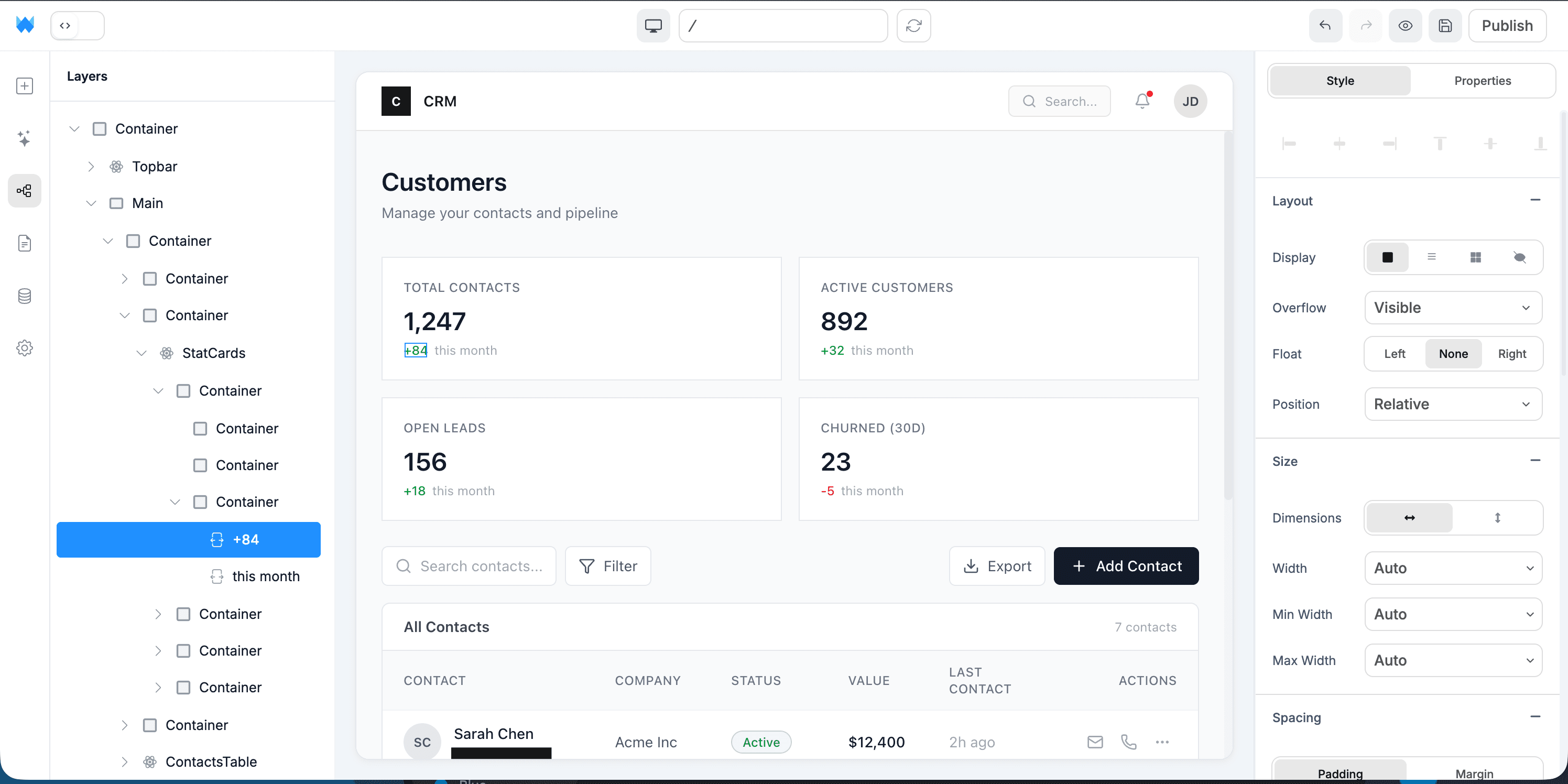
Open Webtwizz and write a prompt like "A simple sales CRM for my consultancy: contacts, companies, deals with 5 pipeline stages, notes on each contact, and a dashboard showing pipeline value." Webtwizz scaffolds the data model and UI.
Connect Supabase for contacts and pipeline data
Click Supabase in the integrations panel. Webtwizz creates tables for contacts, companies, deals, notes, and activities, and wires the queries automatically. Edit the schema inside Webtwizz when you need to.
Add auth so only your team sees the data
One-click Supabase auth. Email/password + Google OAuth out of the box. Webtwizz generates Row-Level Security policies so users only see records they own (or their team owns).
Style the pipeline view visually
Click any pipeline stage column or deal card to edit colors, spacing, and copy directly. Drag to reorder fields. The visual editor updates the source code under the hood, skipping the prompt-tweaking loop.
Publish to a custom domain
Point your domain at Webtwizz, hit publish, and your CRM is live at crm.yourdomain.com with SSL. Iterate on the live site by editing visually or with AI.
03 / Why it works
The parts other AI builders skip.
Anyone can scaffold a CRUD app. The reason these projects ship is the integration plumbing other builders leave for you.
Real database, not a spreadsheet wrapper
Supabase Postgres under the hood. Real relational data, real SQL when you need it, real export.
Multi-user from day one
Auth + RLS wired up so multiple teammates can use the same CRM without seeing each other’s pipelines unless you allow it.
Own the code, no per-seat pricing
No "$50/user/month" trap. You pay for hosting and add as many teammates as you want.
AI does the boring parts
Webtwizz generates the form fields, validation, dashboard charts, and CSV import. You spend time on the parts unique to your business.
04 / The stack
Wired up. One click each.
Supabase, Stripe, the email layer, the analytics layer. OAuth, env vars, webhooks, scaffolded routes, all generated correctly the first time.

Supabase
Auth + Postgres database. Contacts, deals, activity history.

Resend
Send templated emails to contacts directly from a deal record.

OpenAI
Auto-summarize notes, draft follow-up emails, classify deal stage.

PostHog
Track which pipeline stages convert, where deals stall.
Sales CRM vs recruiting CRM vs investor CRM: which template to start from
The shape of a CRM depends entirely on who you're tracking. Webtwizz lets you describe the shape upfront so the AI scaffolds the right pipeline stages, fields, and views.
Sales CRM. Stages are Lead → Qualified → Proposal → Closed. Fields you'll actually use: company, MRR potential, last-touch date, owner. Views you'll need daily: "deals stuck in proposal > 14 days" and "my closes this quarter." Skip the 80 fields Salesforce gives you that nobody fills in.
Recruiting CRM. Stages are Applied → Phone screen → On-site → Offer. The interesting fields are scorecards per interview round, candidate source attribution, and offer history. The daily view you actually use: "candidates in stage X with no movement in N days."
Investor CRM. Stages are Cold → Warm intro → Pitched → Term sheet → Closed. The fields that matter: check size considered, last touch date, sourced-from, partner name. The view you check every week: "investors I haven't followed up with this month."
Tell Webtwizz which of these you want and it scaffolds the right pipeline. You don't get a generic CRM with 200 fields you'll never use.
When to build a CRM vs buy HubSpot or Pipedrive
Buy if: your workflow looks like a generic B2B sales pipeline, you have 5+ seats, and you need integrations to Gmail/Outlook, Slack, marketing automation, and a forecast view. Buy HubSpot. The integration density is worth the $50–150/seat/mo.
Build if: your CRM is the application, not a sidecar to it. Recruiting agencies, real-estate brokerages, nonprofit donor tracking, and vertical SaaS all hit a wall in HubSpot because the data model doesn't fit. You spend three months making custom properties and reports, then realize you've built a worse CRM on top of an expensive one.
Build if: per-seat pricing breaks your unit economics. CRMs charge per user; if you have 50 people who touch 3 deals a month, you're paying $5,000/mo for software two-thirds of your team uses lightly.
Build if: you need to own the data. Donor data, patient records, regulated-industry contacts often can't legally sit in a third-party SaaS. Webtwizz outputs an app on your Supabase project, the data stays in your Postgres database, hostable in any region.
FAQ
The honest answers.
The questions founders actually ask before they commit to a stack.
You own the code and the data. No per-seat fees, no plan limits on contacts, no integration that costs extra. The trade-off: you build the parts unique to your workflow yourself, but with AI doing the scaffolding, that part is fast.
Yes. Webtwizz can scaffold a CSV import page that maps columns to your contacts table. Or you can import directly via the Supabase dashboard.
For sending: connect Resend and Webtwizz can generate templated emails per contact. For email sync (read incoming mail), you’d add a Gmail or IMAP integration via the AI. It’s real real code, so anything you can build manually is buildable in Webtwizz.
Yes. The whole point of building your own CRM is shaping it to your industry: recruiting pipelines, investor stages, agency retainers, fitness studio client lists. Webtwizz scaffolds the bones; you describe the specifics.
Yes. The data is in Supabase (Postgres) which you can export anytime. The code is yours. Webtwizz can hand off a standard Next.js repo you deploy to Vercel directly.
Keep reading
More ways to build with AI.
Start building
Your idea, live in minutes.
Describe what you want. WebTwizz builds the real thing, then you click to change anything. No code needed.
Get started for free, no credit card needed.