SaaS guide
Build a SaaS app with AI
Auth, payments, dashboards, multi-user data, the boring parts of every SaaS, generated and wired up for you. Standard Next.js + Tailwind under the hood, visible in the code editor. Visual editor for the parts that need polish.
01 / What you can build
Real projects, not toy examples.
People are shipping these saas apps on Webtwizz this quarter. Each one is a complete app: real auth, real data, real money flowing through Stripe.
B2B SaaS dashboards
Sign up, log in, manage a team, view your data, get billed monthly. The classic SaaS shape.
Indie / solo SaaS
Single-user tools that solve a specific problem and charge $9-49/mo. Webtwizz scaffolds the whole thing.
AI-wrapped SaaS
UIs around an OpenAI or Claude API call, with sign-up, credits, and Stripe billing.
Vertical SaaS
Industry-specific tools, fitness studios, dental practices, real estate. CRM-shaped apps with custom workflows.
02 / The build
From a sentence to a deployed app.
5 ordered steps. No config files, no devops, no SQL migrations to write by hand.
Describe the SaaS you want to build
Open Webtwizz and write a prompt like "A SaaS that helps freelancers send invoices and track payments, with email login and a $19/mo paid plan." Webtwizz scaffolds a web project with auth, Stripe, and a dashboard.
Connect Supabase for users and data
From the integrations panel, click Supabase. Sign in, pick a project, and Webtwizz wires up auth and database access. Your generated tables (users, invoices, payments) appear automatically.
Connect Stripe for billing
One-click Stripe connection. Webtwizz creates the checkout flow, webhook handler, and subscription state management. You set the price tiers from the dashboard.
Refine the UI visually
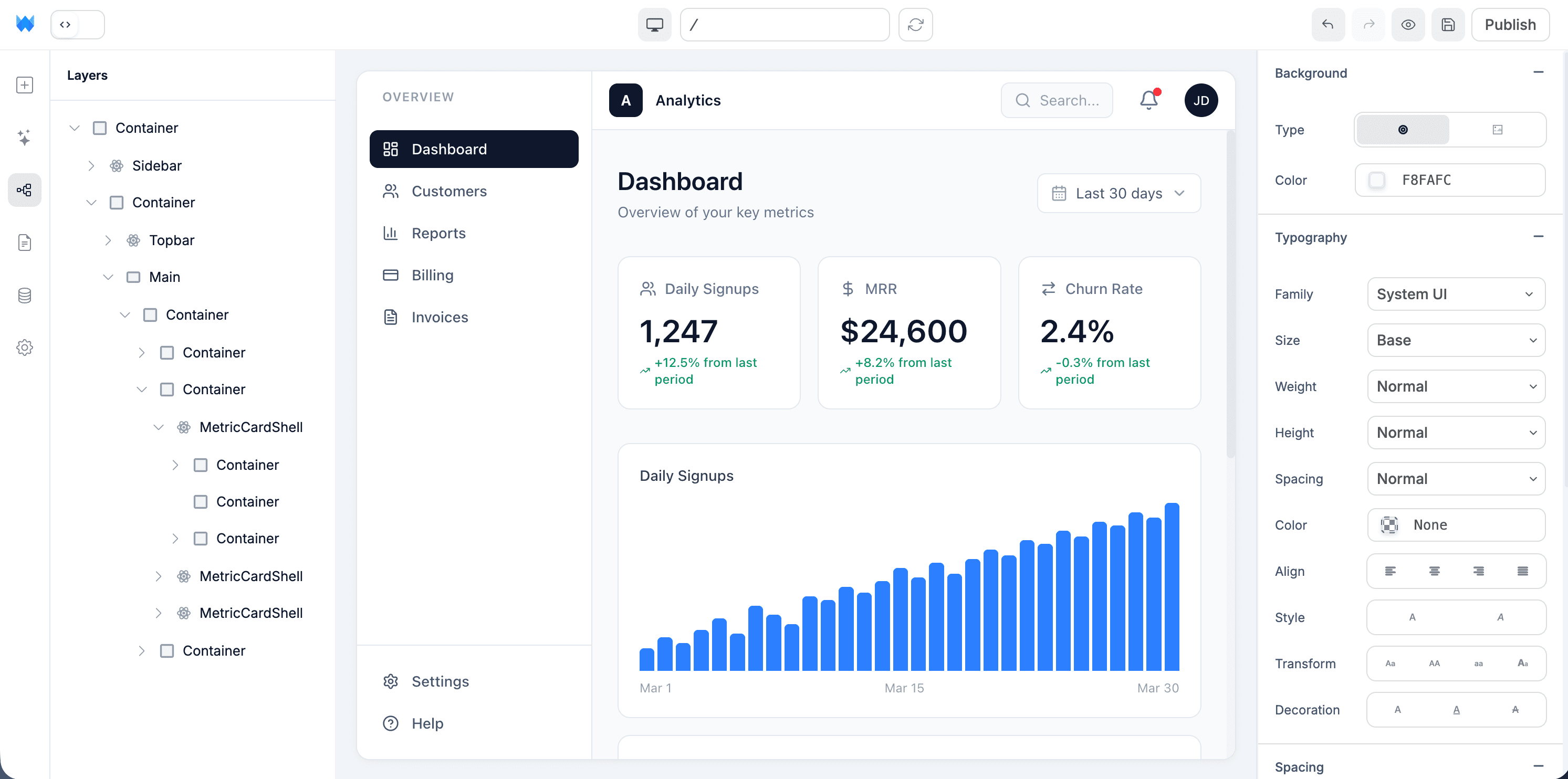
Click any element to edit text, spacing, colors, or copy directly. The visual editor updates the source code under the hood, no need to prompt the AI for every tweak. Use AI for bigger structural changes.
Add a custom domain and ship
On the Standard plan, point your domain at Webtwizz, hit publish, and your SaaS is live with SSL. Iterate on the live site by editing visually or with AI.
03 / Why it works
The parts other AI builders skip.
Anyone can scaffold a CRUD app. The reason these projects ship is the integration plumbing other builders leave for you.
Auth + multi-user from day one
Supabase auth wired up with email/password and Google OAuth. User-scoped data queries handled automatically, no RLS landmines.
Stripe subscriptions, not just one-time payments
Webtwizz scaffolds full subscription billing with webhooks, customer portal, and tier-gated features. Skip the 3-day Stripe boilerplate.
Real code, not a black box
Standard Next.js + Tailwind under the hood. The code editor is right there, so you can read, audit, and change anything the AI generated.
Edit code when AI gets it wrong
On Standard+, drop into the code editor. Make a manual change, then ask AI to extend it, the visual editor still works on your hand-written code thanks to the source-truth bridge.
04 / The stack
Wired up. One click each.
Supabase, Stripe, the email layer, the analytics layer. OAuth, env vars, webhooks, scaffolded routes, all generated correctly the first time.

Supabase
Auth + database. Handles user accounts, sessions, and your app data.

Stripe
Subscription billing, customer portal, webhooks. One-click connect.

Resend
Transactional email, welcome, password reset, payment receipts.

PostHog
Product analytics, funnel tracking, retention, feature usage.

Sentry
Error monitoring once you have real users. Catches issues before they email you.
How long does it take to build a SaaS with AI?
Most founders ship a working v1 in a weekend. The AI scaffolds auth, Stripe, and the dashboard in two to three hours; you spend the rest of the weekend polishing copy, fine-tuning the UI in the visual editor, and connecting your own integrations.
The parts that used to eat a week, Stripe webhook handlers, plan-gated feature flags, the customer portal redirect, GDPR account deletion, Webtwizz scaffolds correctly the first time. That's the SaaS-specific compounding: most prompt-to-app tools generate a generic CRUD shell and call it done. Webtwizz generates the SaaS-shaped wiring, then lets you tune the parts that vary.
A polished v1 (custom emails, onboarding flow, analytics, error monitoring) takes 1–2 more weeks. Production-grade with paying users follows your normal launch cadence.
Auth, Stripe, and dashboards: the 3 hard parts most AI builders skip
Every AI app builder will give you a landing page and a database. Almost none of them get the SaaS-specific 80% right out of the box:
1. Auth that survives production. Email/password is the easy part. Email verification, password reset, OAuth callbacks, session refresh, RLS-aware queries. That's where prompt-to-app tools usually leave you a half-built shell. Webtwizz wires Supabase Auth with all four flows out of the gate.
2. Stripe subscriptions, not one-time checkouts. Most builders scaffold a Stripe Checkout button and stop there. A real SaaS needs webhook handlers for checkout.completed, subscription.updated, and subscription.deleted; a customer portal for self-serve cancellations; and server-side plan gating on every paid API route. Webtwizz scaffolds all of it.
3. Dashboards that are actually authenticated and scoped. Showing a user "their" data means a server-side query that joins on the auth'd user ID. Skipping that step is the #1 reason early SaaS MVPs leak data. Webtwizz generates the queries with user-scoping baked in.
FAQ
The honest answers.
The questions founders actually ask before they commit to a stack.
Most founders ship a working v1 in a weekend. Auth, Stripe, dashboard, and a custom domain in a few hours. Polishing the design and edge cases is the next week or two, exactly the parts where Webtwizz's visual editor saves the most time.
Yes. Webtwizz generates standard Next.js + Tailwind code. You can read it in the built-in code editor, change anything by hand, and the visual editor still works thanks to the source-truth bridge.
Yes. Webtwizz uses Next.js API routes for backend logic, and you can edit them in the code editor. For more complex logic, Supabase Edge Functions are accessible through the Supabase integration.
Yes. Webtwizz scaffolds checkout, webhooks, customer portal, and subscription state. The hardest part of any SaaS, Stripe webhook handling and subscription lifecycle, is generated correctly out of the box.
Yes. Published projects run on auto-scaling serverless infrastructure with a global CDN, and the underlying stack is the same Next.js + Supabase + Stripe setup serious SaaS teams already use. Webtwizz handles hosting, custom domain, SSL, and zero-downtime publishes for you.
Keep reading
More ways to build with AI.
Start building
Your idea, live in minutes.
Describe what you want. WebTwizz builds the real thing, then you click to change anything. No code needed.
Get started for free, no credit card needed.